Kour.io

.jpg "Wrestle Bros")





.png "Space Waves")
.png "Candy Crush")
.png "Alone on Island")

.png "Cubes 2048")
.png "Car Racer")


.png "Helix Jumping")
.jpg "Galaxy Shooter")
.jpg "Fantasy Helix")
.png "Merge Alphabets Lore 3D")
.png "Tunnel Rush")
.png "Ball Blaster")
.png "Murder Mafia")


.jpg "Uno Online")
.png "Tiny Fishing")






.jpg "Candy Clicker")

.png "Spacebar Clicker")
.png "Tap Tap Shots")
.png "Block Blast")
.png "Color Tunnel")

.jpg "Geometry Dash Bloodbath")
.PNG "Merge Rot")

.jpg "Harvest Simulator")

.png "Geometry Arrow")
.jpg "Planet Clicker")

.png "Geometry Dash Meltdown")

.png "Geometry Dash Nine Circles")
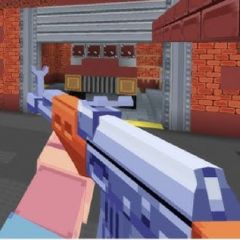
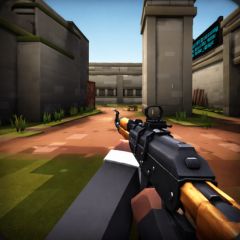
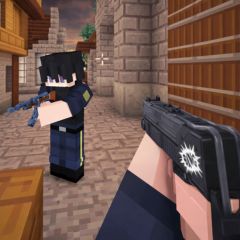
Kour.io is a lightweight FPS browser game focused on aim, movement, and smart settings. Discover controls, tips, and mistakes new players should avoid.
How to Play Kour.io
In Kour.io, the main goal is to earn KP by defeating monsters and completing quests. The more KP you accumulate, the more customizations you can unlock, such as skins, chests, hats, characters, and emotes. Players level up by accumulating points in the game, unlocking more content and privileges.
Mastering the basic controls, customizing sensitivity and FOV, and avoiding beginner mistakes are key to improving faster. Similar to Deadshot.io, awareness and aim matter more than reckless movement, while players familiar with 1v1.LOL will quickly adapt to Kour.io’s fast-paced gunfights.
Basic Controls
- Movement: Use the WASD keys or Arrow keys.
- Jump: Press the Space key.
- Shoot: Left-click.
- Aim: Right-click.
- Crouch/Dive: Press Shift or C.
- Change Weapons: Use the 1, 2, 3 keys or the mouse wheel.
- Hyphen: Press E.
- Emoji/Dance: Press B.
- Check Weapon: Press F.
- Pause Menu: Press Esc.
Customize Your Settings for Better Performance
In the main interface, players can adjust several settings to gain a competitive advantage and improve overall gameplay comfort.
- Mouse Sensitivity: Adjust mouse sensitivity to match your DPI settings for more accurate aiming.
- Display Settings: Use performance-focused settings to ensure smoother gameplay.
- Key Bindings: Customize key bindings to suit your playstyle, for example, setting the third weapon key to Q instead of 3.
- Resolution: If you experience performance issues, lower the resolution but keep it above 50%, as going lower can make the game difficult to play.
- High Graphics Shaders: Enable or disable this option to enhance visuals, but note that it may reduce performance on low-end devices.
- Base FOV: Set the Field of View (FOV) to around 150 to gain a wider viewing angle.
- Crosshair Size: Set the crosshair size to approximately 0.33 for a clear and balanced aim point.
- Disable Unnecessary Effects: Turn off motion blur and other visual effects to boost performance.
- Audio Settings: Lower the default volume to a comfortable level for better focus during matches.
Common Mistakes New Players Make in Kour.io
Rushing into fights without checking first
Many new players run straight into battles without looking around. This often leads to getting surprised by enemies or eliminated very quickly. Even though Kour.io is fast-paced, paying attention to enemy positions and using cover can greatly improve your chances of surviving.
Jumping too much makes you an easy target
Jumping can help movement, but using it too often in Kour.io is risky. Repeated jumping makes your movement predictable and easier to track. It can also lower your shooting accuracy, especially during close fights. Staying grounded and moving smartly works better.
Ignoring ammo and bad reload timing
Beginners often forget to watch their ammo count. Reloading in the middle of a fight usually ends badly. Try to reload only when it’s safe, such as after defeating an enemy or while moving between cover.