Kirka.io
.jpg "Wrestle Bros")



.png "Space Waves")
.png "Candy Crush")
.png "Alone on Island")
.png "Cubes 2048")
.png "Car Racer")


.png "Helix Jumping")
.jpg "Galaxy Shooter")
.jpg "Fantasy Helix")

.png "Merge Alphabets Lore 3D")
.png "Tunnel Rush")
.png "Ball Blaster")
.png "Murder Mafia")
.jpg "Uno Online")
.png "Tiny Fishing")


.jpg "Candy Clicker")
.png "Spacebar Clicker")
.png "Tap Tap Shots")
.png "Block Blast")
.png "Color Tunnel")
.jpg "Geometry Dash Bloodbath")
.PNG "Merge Rot")

.jpg "Harvest Simulator")
.png "Geometry Arrow")
.jpg "Planet Clicker")
.png "Geometry Dash Meltdown")

.png "Geometry Dash Nine Circles")
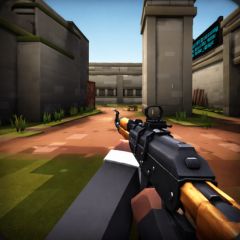
Experience Kirka.io, an online FPS shooter with parkour levels, low-gravity modes, team combat, SBMM matchmaking, and performance-optimized settings.
Scoring System and Win Conditions in Kirka.io
The scoring system and win conditions in Kirka.io vary depending on the selected game mode. The .io game also features KLO, a ranking score based on your performance, and SBMM to match players with similar skill levels.
Solo Mode
- Every player fights for themselves.
- The Top 3 players with the highest score at the end of the match win.
Team Mode
- Players are divided into teams of 4.
- Eliminate opponents to earn team points.
- The team with the highest total kills wins.
Point Mode
- Teams of 4 compete to capture points from the blue flag.
- The team that collects the most flag points wins the match.
Parkour Mode
- A solo movement-based mode.
- The goal is to reach the flag as fast as possible.
- The Top 3 fastest players at the end of the round win.
Physics Mode
- Free-for-all combat with low gravity, allowing very high jumps.
- The Top 3 players with the most points win.
Sabotage Mode
- Teams of 4 must destroy the enemy team’s crystals.
- The team that destroys all crystals or the most crystals before time runs out wins.
Knife Only Mode
- Two teams of 10 players, using knives only.
- The team with the highest total kill score wins.
Basic Controls in Kirka.io
Movement Controls (WASD)
-
W – Move forward
- S – Move backward
- A – Move left
- D – Move right
- Shift – Sprint
- E – Dash or boost forward
Combat Actions
- Shoot – Left Mouse Button (LMB)
- Aim / Scope – Right Mouse Button (RMB) or X
- Jump – Spacebar
- Crouch – Ctrl or Shift
- Improves accuracy and makes you harder to hit
- Reload – R
Weapon Switching
- 1 / 2 / 3 – Switch weapons quickly
- Q – Switch to previous weapon
Other Controls
- P / Esc – Open weapon or pause menu
- F – Use item or shoot
Keybind Customization and Settings Optimization
Graphics Settings
Adjust graphics for smooth performance, especially on low-end devices.
Mouse Sensitivity
Fine-tune sensitivity to match your DPI for better aim control.
Keybind Customization
Fully customize controls to match your personal playstyle.
User Interface (UI)
Clean and minimal UI showing:
- Health bar
- Ammo count
- Weapon icons
Managing ammo and health effectively often decides the outcome of fights.
Benefits of Custom Settings
- A comfortable setup gives you a competitive advantage before the match even starts.
- Static crosshairs are recommended for consistency.
Advanced Settings
Adjustable options include:
- Field of View (FOV)
- Weapon FOV
- Resolution
- Arm visibility
Known Limitation
Some players report being unable to bind weapons to mouse side buttons, which may affect certain mouse setups.